Last updated
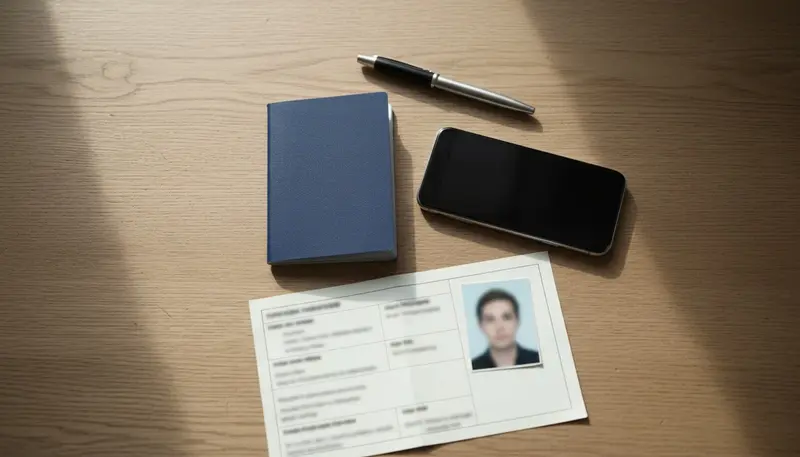
A Dubai or UAE visa photo must meet the ICAO standard. ICP's FAQ spells it out: a recent colour photo on a white background, face and eyes clear, no shadows or reflections, neutral expression, and no hats or sunglasses. Every visit visa route asks for one, from the GDRFA tourist visa to the transit visa. A photo that misses the rule is the easiest way to get a file sent back.
The official rule, line by line
ICP refers to the ICAO standard, the international rule used for passport photos. In plain terms:
- Recent. Taken for this application, not a photo from years ago.
- White background. Plain white, not cream, grey or a pattern.
- Face and eyes clearly visible. Hair off the eyes, nothing covering the face.
- No shadows or reflections. On the face or on the wall behind you.
- Neutral expression. Mouth closed, looking straight at the camera.
- No hats, no sunglasses.
GDRFA's service pages repeat the white background rule for the tourist, transit and visa on arrival routes.
The ICP FAQ does not print a pixel size, a file size or a file type. The upload screen of the channel you use (GDRFA, ICP, an airline or a travel agency) shows its own limits. If a size is not shown, a clear JPG of your head and shoulders, in colour and in focus, is what these systems expect.
Photos that get sent back
| Fault | Why it fails | Fix |
|---|---|---|
| Off-white or grey wall | Background must be white | Plain white wall, lit evenly |
| Shadow behind the head | Shadows are not allowed | Stand 50 cm or more from the wall, face a window |
| Glare on glasses | Eyes must be clear, no reflections | Take the glasses off |
| Cap, hat or sunglasses | Banned by the rule | Remove them |
| Big smile or tilted head | Neutral expression, facing the camera | Mouth closed, chin level |
| Photo of a printed photo | Blurry, often with glare | Take a new digital photo |
| Cropped crown or chin | Face must show in full | Leave space above the head |
| Beauty filter or heavy editing | No longer a true likeness | Use the camera's normal mode |
There is no official fee for the photo itself. The cost of a bad one is time: a file returned for a document fix waits until you resend it, and GDRFA cancels a request after 30 days if the missing item never arrives.
What you need before you start
- A plain white wall or door.
- Daylight from a window in front of you, or two lamps either side.
- A phone with the back camera, held by someone else at eye level.
- Clean glasses only if you must wear them and they show no glare.
- For a child: a white sheet and a second adult to keep the baby still.
How to take the photo at home
- Stand about half a metre in front of the white wall so your shadow falls behind you, out of frame.
- Face the light. Turn off overhead lights that throw shadows under the eyes.
- Have someone else hold the phone at the height of your eyes, about a metre and a half away. A selfie at arm's length stretches the face.
- Look straight into the lens, mouth closed, shoulders level.
- Take several shots and pick the sharpest one.
- Crop to head and shoulders. Do not change the colours or remove the background with an app.
Processing time and the photo
GDRFA lists 48 hours for its visit and tourist visas and ICP lists 2 days, but both count from a complete file. A photo that needs replacing stops the clock until the new one is in. If you are short on time, get the photo right first. Our Dubai visa processing time guide shows the rest of the timeline.
Photo faults behind refusals
A photo problem usually means the file comes back for a new photo, not a final refusal. It still costs days. The background, shadows and glasses are the faults to check twice. Other reasons a file is turned down, such as passport validity or the sponsor's salary, are in Dubai visa rejection reasons.
Tips
- Take the photo in the morning, when daylight is soft and even.
- White T-shirt against a white wall can blur the edge of the shoulders. Wear a darker top.
- Keep one approved photo file. Reuse it for the insurance form or the airline if they ask, as long as it is recent.
- Children need their own photo for their own visa. The Dubai visa for children page lists what else a child's file needs.
- Check the whole file against the Dubai visa requirements list before you upload.
Official sources
- ICP frequently asked questions: ICAO standard, white background, clear face and eyes, no hats or sunglasses.
- GDRFA tourist visa, single entry: photo listed among the documents.
- GDRFA transit visa: photo with a white background.
- GDRFA entry permit cancellation: 30 days to complete missing documents.